Dressmaker controls and Steam Deck
The keys the tutorial mentions once and never again, plus what changed in Build 443.
Updated · checked against Build 443
How do you zoom in Dressmaker?
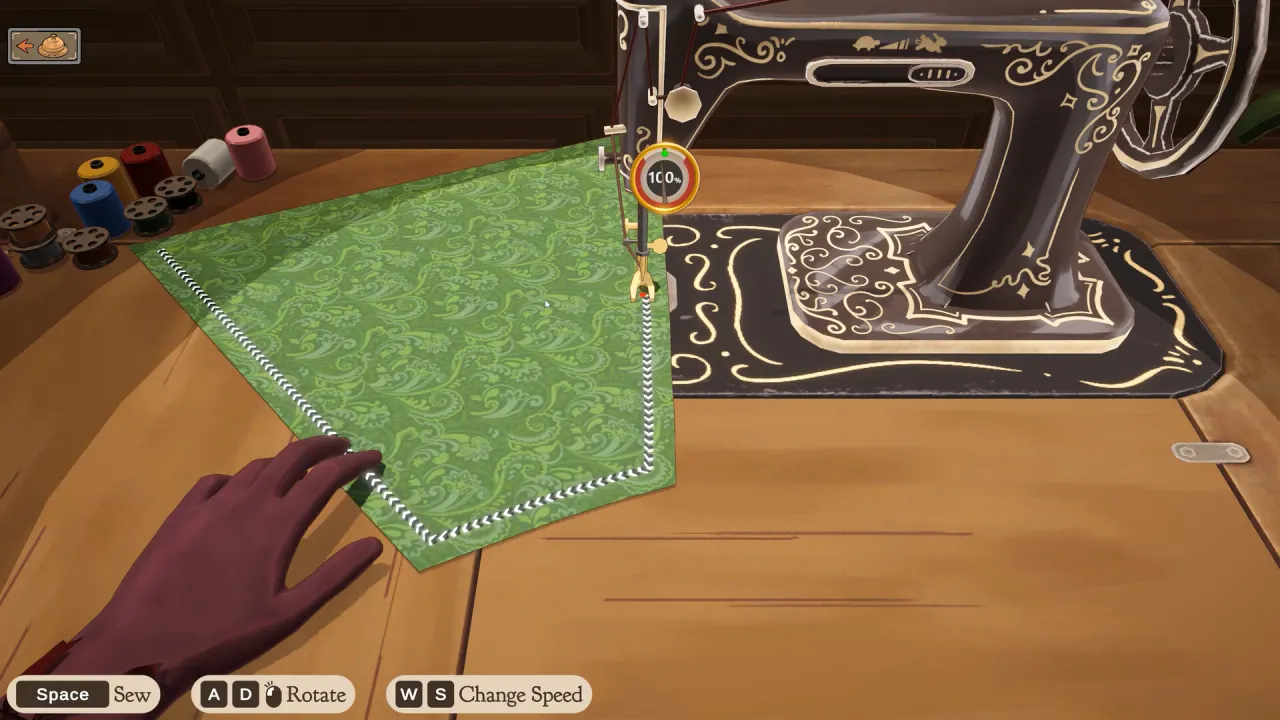
Press Z or click the middle mouse button to zoom; since Build 443 you can also hold Ctrl and scroll, and zoom is smooth. Right-drag pans the camera and the keyboard can orbit around the mannequin. On the cutting table, the scroll wheel rotates a pattern piece in snapping steps. On the sewing machine, hold Space to sew, steer with A and D, and change speed with W and S. Shift mirrors trim and accessories, Shift-click duplicates, and right-clicking the accessories tab removes an accessory. Dressmaker plays with the mouse alone and has no timed input. Controller support is not in yet: rebinding and gamepad/Steam Deck support are the developers' next priorities after Build 443. Players on Deck use the trackpad as a mouse.
- Zoom: Z, middle-click, Ctrl+scroll
- Sew: Space, A/D, W/S
- Mirror: Shift
- Gamepad: planned, not yet
All controls
| Action | Control |
|---|---|
| Zoom | Z, middle mouse, Ctrl + scroll (Build 443), or the zoom buttons on the right |
| Pan camera | Right-drag (Build 443) |
| Orbit mannequin | Keyboard orbit (Build 443) |
| Rotate pattern piece | Scroll wheel over the cloth (snaps) |
| Sew | Hold Space |
| Turn fabric while sewing | A / D |
| Sewing speed | W / S |
| Mirror trim or accessory | Shift |
| Duplicate | Shift-click; duplicate-trim button (Build 443) |
| Remove accessory | Right-click the accessories tab |
| Remove sewn seam | Seam ripper |
| Next customer | Ring the bell (Build 403) |
Steam Deck and controllers
Dressmaker has no official controller support yet. On Steam Deck, players use the right trackpad as a mouse and L2 as right-click (for example to remove accessories). The developers say the game runs well on Deck and list gamepad and Deck support as a top priority after Build 443. We have not confirmed the Deck verification badge.
Comfort settings from Build 443
- Less Animation for the bouncing dialogue text
- Toggle the red outline
- Toggle bloom
- Fast Trim Placement
Questions players ask
+Can I rebind keys?
Not yet. Rebinding is listed as a next priority in the Build 443 post.
+Why does the mannequin keep rotating?
Players report it on some setups; check that no orbit key is held and try the Build 443 camera options.
+Sewing assist keeps veering. What do I do?
Click the fabric to take over and steer with A and D at a lower speed.
+Is Dressmaker playable with only a mouse?
Yes. Steam lists a Mouse Only Option.